


The ten platforms compared here are Superlines, Surfer SEO, MarketMuse, Clearscope, Jasper, Writesonic, Frase, Profound, Peec AI, and SE Visible. They serve different content jobs: choosing opportunities, preparing briefs, drafting, improving existing pages, managing publishing, and measuring AI Search visibility.
Choose a platform around the part of the process your team struggles with today. A content editor with built-in monitoring may already cover your needs. A writing platform may need better research inputs. An analytics tool may complement an established editorial and CMS workflow without replacing either.
Publisher disclosure: Superlines publishes this comparison and is included in it. The list order is not a performance ranking. We compare documented capabilities, how vendors charge, and limitations without claiming one universal winner.
How we compare these platforms
This guide uses current vendor pricing pages and product documentation. It is a feature and workflow comparison, not a controlled hands-on benchmark or scored ranking. Prices and entitlements were checked on 10 October 2026; confirm your currency, billing term, and required features before purchasing.
Compare capabilities at the plan you would buy. Native means the product performs the job itself. A CMS integration connects it to another publishing system. A connector or external automation route introduces another service, configuration, or subscription. Optional features and add-ons should be included in the buying decision, not treated as standard.
For refreshes, ask four separate questions: does the tool detect an opportunity, recommend a change, edit the content, and republish it? A dashboard that identifies a weak page has completed the first step, not the entire refresh.
What is AI content optimization and how does it differ from AEO?
AI content optimization tools help teams research, create, and improve content. Depending on the product, they provide topic suggestions, briefs, drafting assistance, editorial recommendations, or a content inventory that helps prioritize existing pages.
Answer Engine Optimization (AEO) focuses on improving how information and brands appear in AI-generated answers. Monitoring mentions and citations provides feedback for that work, but monitoring alone does not write or publish a page. Equally, an editor's SEO or GEO score is a recommendation signal, not proof that an AI engine will cite the content.
These categories overlap. Surfer, Clearscope, Frase, Writesonic, Jasper, and Profound document combinations of production, optimization, or AI Search features. The question is whether their included workflow, coverage, and limits fit your requirements, rather than whether every team needs one product from each category.
When does another platform fill a real gap?
Start with the work you already do. If your writers can prepare useful briefs, edit accurately, publish through the CMS, and obtain the reporting your stakeholders need, another subscription may add little value.
Another tool is more useful when something in the process is not working well: opportunities are unclear, briefs require repeated research, writers lack editorial guidance, refreshes go unnoticed, approved changes take too long to publish, or AI Search feedback is missing. Before adding a subscription, check whether an upgrade, integration, or change to your current process would solve the problem.
An agency should also check whether client work can be separated and reported appropriately. An in-house team may instead prioritize existing CMS compatibility, brand controls, and reporting across markets. Unlimited users or multiple projects do not automatically establish the permissions your workflow requires.
1. Superlines
Best suited to
Enterprise and in-house marketing teams and marketing agencies that need AI Search measurement and feedback for an existing content operation.
Strengths and workflow role
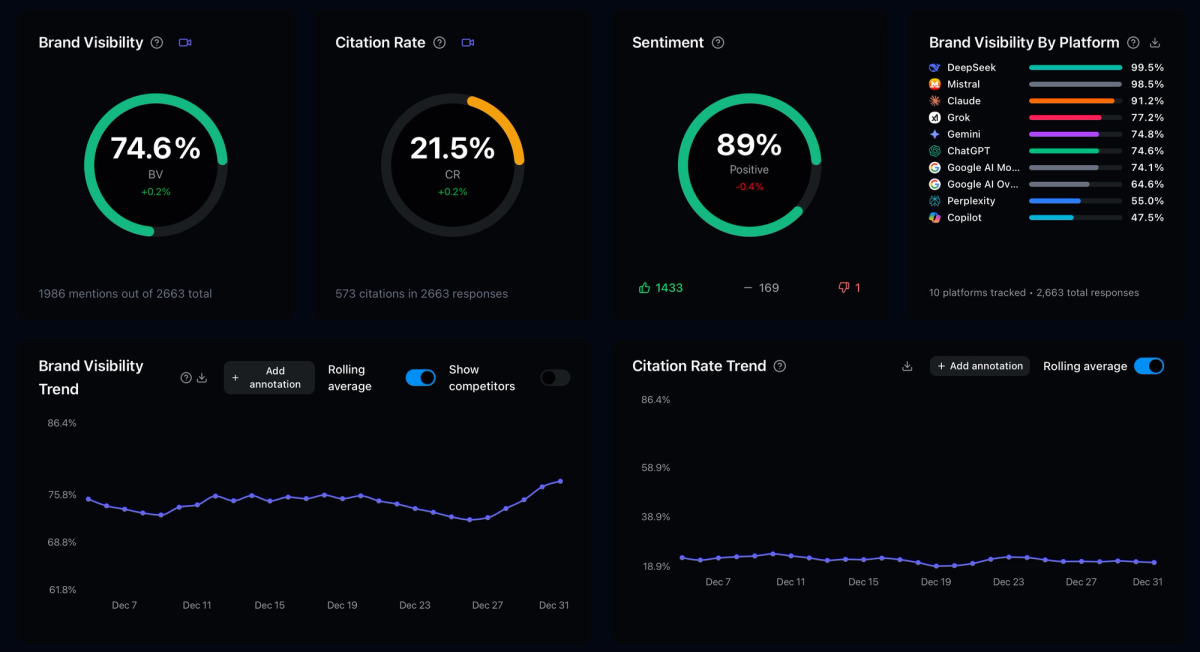
Superlines measures Brand Visibility, Citation Rate, and Sentiment, with competitor and source intelligence at prompt level. Multi-brand and multi-market analysis helps teams identify where their content or positioning needs attention. The product reference describes access through the UI, API, and MCP; exports and API availability depend on plan.
Superlines provides the measurement, competitive and source intelligence, and recommendations that inform the content workflow. It does not replace the editor, writing platform or CMS used to create and publish the work. This gives teams a measurable feedback layer for AI Search visibility, citations, sentiment, competitors and sources, so content decisions can be tied back to observed changes over time.
Limitations and pricing
The pricing page lists monthly brand plans at €79 Starter, €199 Pro, and €379 Growth, with custom Enterprise pricing. They include 50, 150, and 300 prompts respectively, and three selected engines. Starter has one month of history; exports begin on Pro and API access on Growth. Agency plans have different client-brand allowances. MCP is listed from Starter.
Choose if competitor/source feedback or multi-market reporting is the missing job. Skip if your purchase needs to replace the editor and CMS themselves. Budget for those separately where required.
2. Surfer SEO
Best suited to
Content and SEO teams that want page-level editorial optimization, content planning, and plan-dependent AI Search tracking in one workflow.
Strengths and workflow role
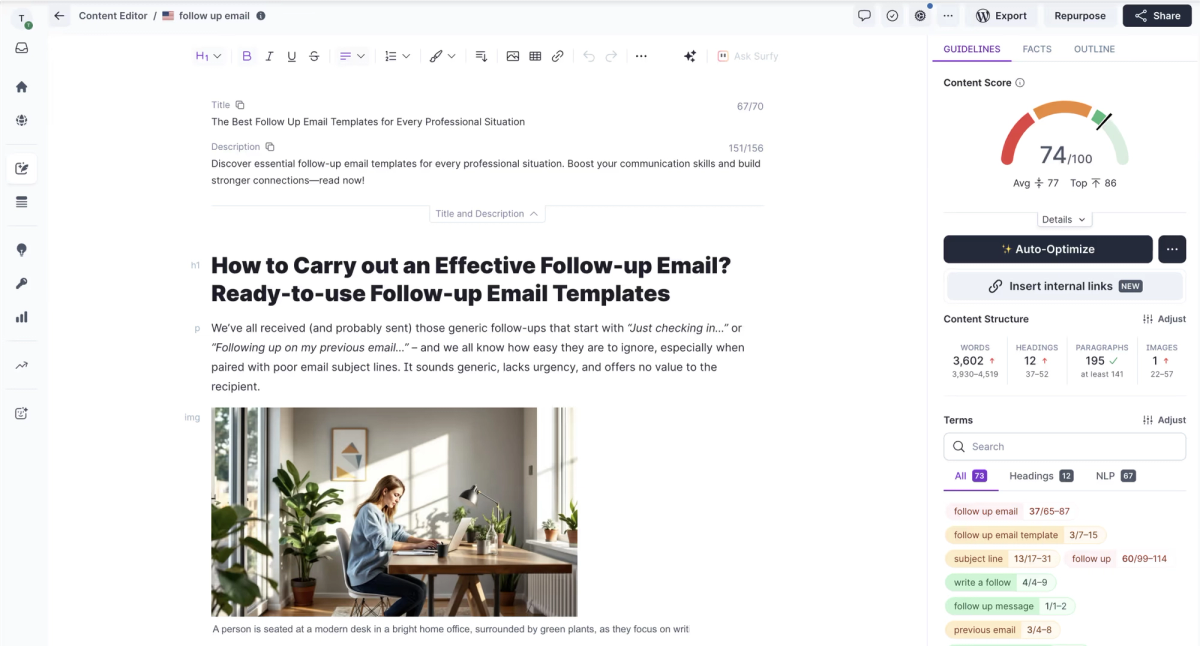
Surfer combines Content Editor guidance, Surfy writing assistance, topic planning, and content audits. Rank-drop detection identifies possible refresh work; editing and optimization address the page after the team chooses the change.
Publishing uses CMS integrations, including WordPress. Its WordPress documentation distinguishes creating a draft from updating an existing post. Updating a live post retains its status and makes changes live immediately. Google Docs supports editorial work; verify other integrations against the chosen plan.
Limitations and pricing
The current pricing page displays annual-billing equivalents in EUR: Discovery €49/month, Standard €99, Pro €182, and Peace of Mind €299; Enterprise is custom. Discovery includes 120 documents annually and no tracked AI prompts. Standard includes 360 documents annually and 25 ChatGPT prompts refreshed weekly. Pro includes 360 documents annually and 50 prompts refreshed daily across its listed models. Peace of Mind includes 100 daily prompts and documents subject to fair-use terms.
Choose if editorial optimization is the bottleneck. Skip Standard if your requirement is daily multi-engine tracking. Confirm monthly-billing rates, document consumption, seats, and CMS update behavior.
3. MarketMuse
Best suited to
Content strategists and editors who need to prioritize topics and existing pages using site-specific content analysis.
Strengths and workflow role
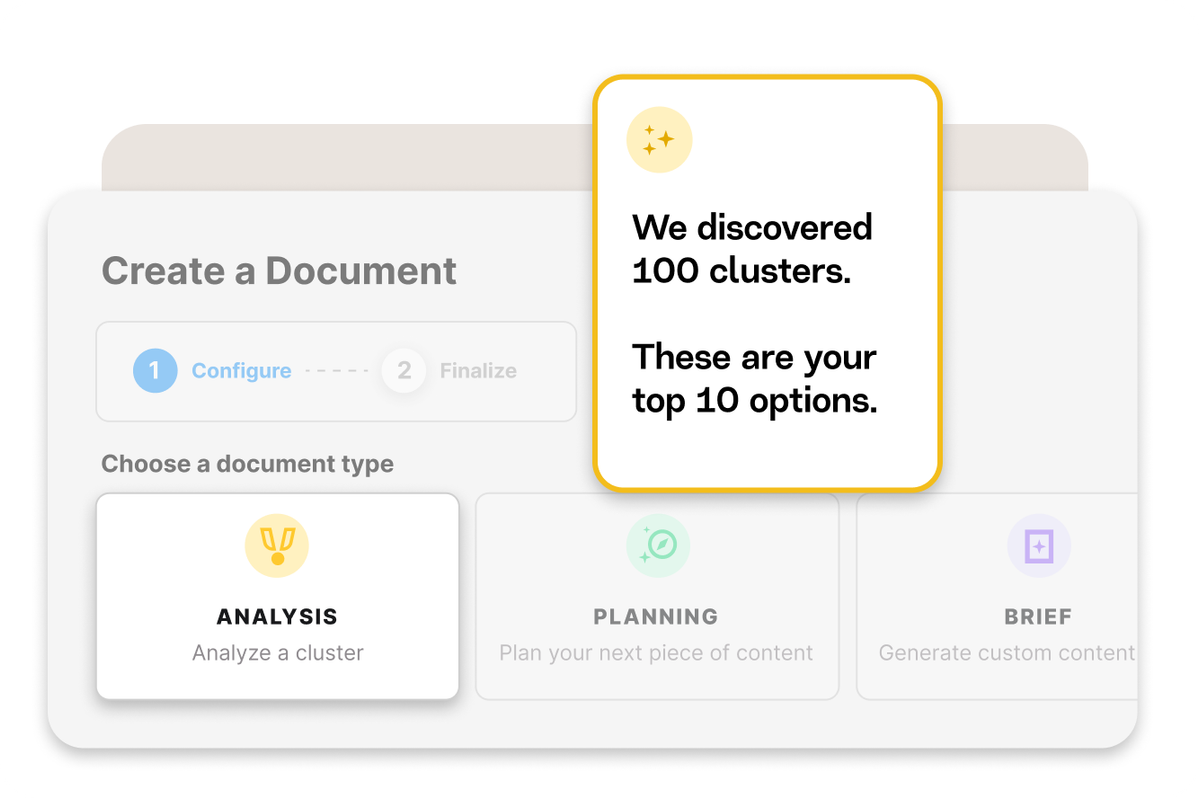
MarketMuse supports topic research, competitive coverage analysis, content briefs, and page-level optimization. It is not limited to strategy: its Optimize editor provides content scoring and topic guidance while you write.
Recommendations identify pages that may need updating and topics worth turning into briefs. Editors still decide what to change and make the edits. The documented publishing workflow uses “Copy for Publishing” to transfer clean HTML into a CMS; it is not automatic republishing.
Limitations and pricing
The plan page lists Free, Optimize, Research, and Strategy. Free has one user, ten monthly queries, no site inventory, and no content briefs. Paid tiers include 5, 10, and 20 monthly briefs respectively, with different tracked-topic, query, and user allowances. Paid prices are not stated on that page: confirm with the vendor.
Choose if deciding what to create or refresh is harder than drafting it. Skip Free if you require site inventory or briefs. If automatic CMS updates or tracked AI answers are essential, confirm those requirements rather than assume topic analysis provides them.
4. Clearscope
Best suited to
Editorial teams that want content optimization alongside topic exploration, drafts, page inventory, and AI query tracking.
Strengths and workflow role
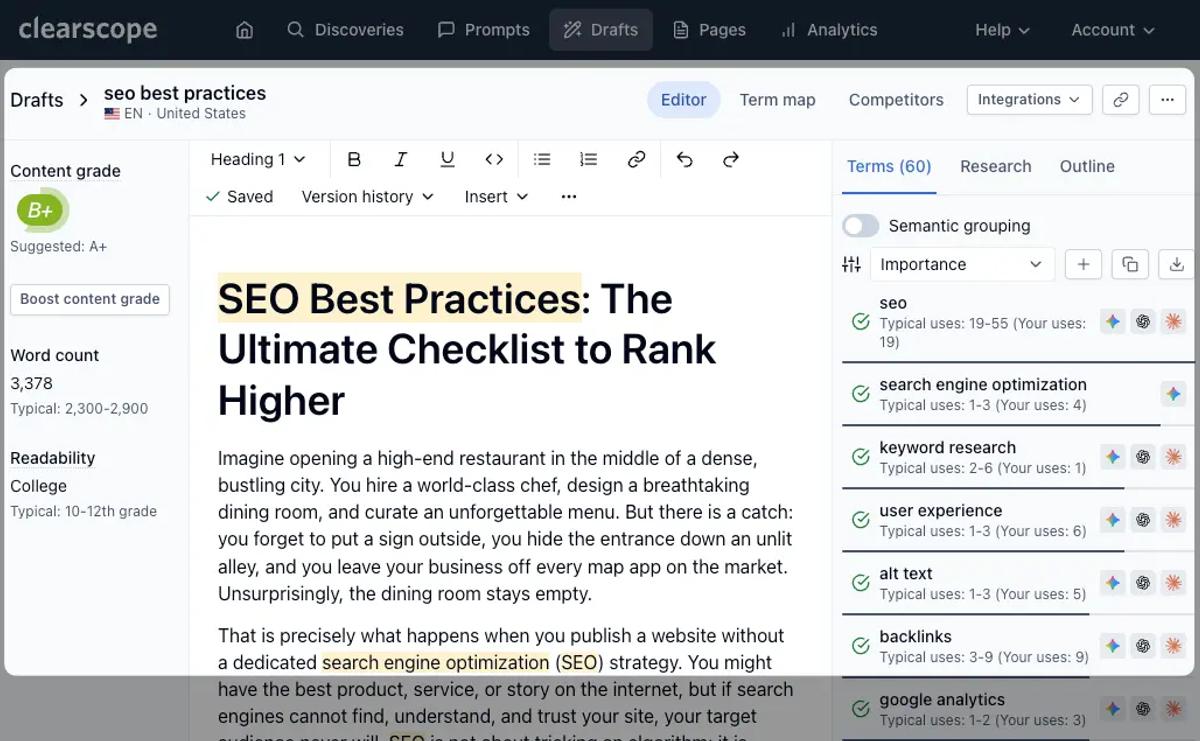
Clearscope's editorial guidance helps writers assess topical coverage and readability. It also supports monitoring an existing content library. Content Inventory connects Google Search Console data with page-level grades and optimization opportunities.
Inventory identifies refresh candidates; writers make revisions in the editor or their editorial environment. Google Docs and WordPress integrations support that work. Publishing remains a CMS step, rather than an automatic consequence of a changed grade.
Limitations and pricing
Essentials costs $129/month, with 50 tracked queries, 50 pages, 20 monthly topic explorations, and 20 monthly drafts. Business costs $399/month, with 300 queries, 300 pages, 50 explorations, and 20 drafts. Users and projects are unlimited; extra pages and drafts are separately priced.
The pricing page names ChatGPT and Gemini for query tracking. Confirm additional engine coverage and the reporting detail you need. Content sharing/exporting should not be assumed to include every raw monitoring field.
Choose if writers need optimization guidance and inventory feedback. Skip Essentials if its included page/query capacity is insufficient and you cannot fund additional capacity. Test the CMS handoff before replacing an established editorial workflow.
5. Jasper
Best suited to
Marketing teams that need brand-governed drafting and repeatable campaign workflows, with broader GEO capabilities on Business.
Strengths and workflow role
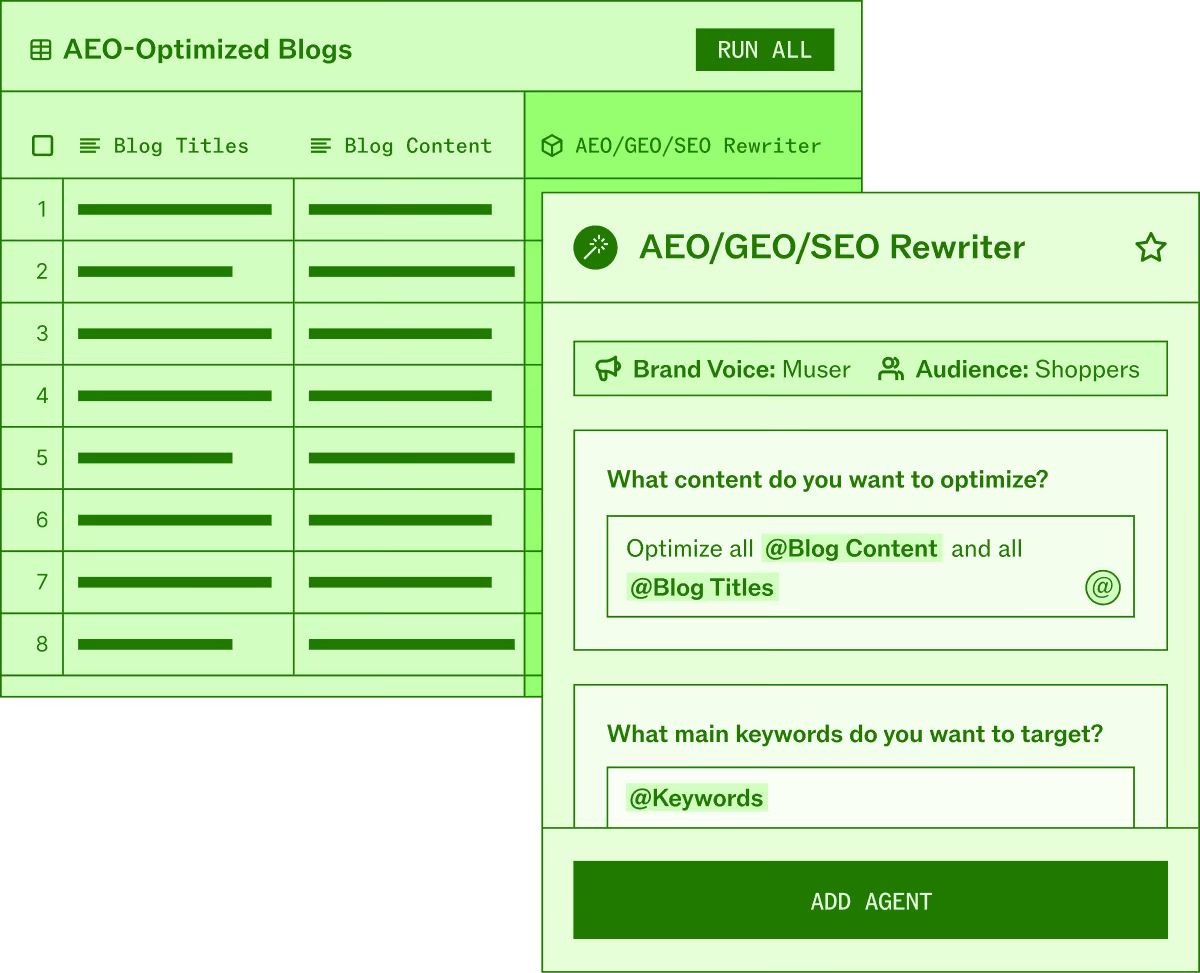
Jasper combines brand context, Canvas, and marketing agents. Its GEO Hub supplies AI visibility analysis and recommendations for existing pages and new topics. The GEO Agent can explain those findings, prepare plans, and draft content; it requires a GEO Hub analysis and a Business workspace.
A Webflow CMS integration can create or update content and publish after approval. It is currently beta, so confirm access. External connectors are separate workflow routes.
Limitations and pricing
The pricing page lists Pro at $69 per seat/month billed monthly or $59 with annual billing, and custom Business pricing. Pro includes one seat; additional users are routed to Business. Do not budget for Business GEO features at the Pro rate.
The optional Semrush integration requires an eligible Semrush Business/Advanced subscription and purchased API units, separate from Jasper usage.
Choose if brand consistency and repeated production tasks are the bottleneck. Skip Pro if Business-only GEO functionality or multi-user access is required. Verify the total package, beta publishing access, and any external research subscriptions.
6. Writesonic
Best suited to
Teams evaluating a combined AI article, SEO, and AI Search monitoring workflow.
Strengths and workflow role
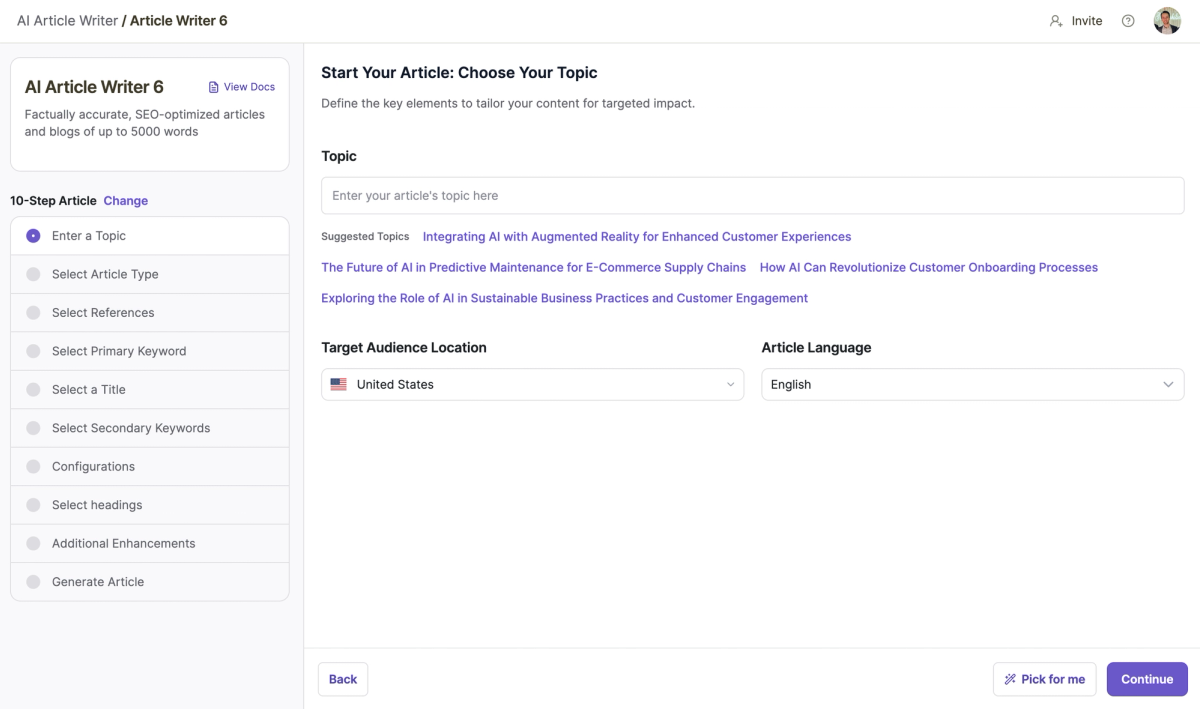
Writesonic combines article creation, site audits, and AI visibility tracking. Recommendations and workflow access are plan-dependent. Its WordPress integration supports new posts and updates to existing posts, rather than requiring manual copy-paste. The publishing destination remains WordPress.
For refreshes, distinguish editing an existing article from automatically finding and recommending a refresh. The Action Center documentation still labels its specific “Refresh Existing Content for AI Visibility” feature coming soon. Confirm that feature's availability before relying on it.
Limitations and pricing
The pricing page lists annual-billing equivalents of $79/month Starter, $199 Basic, and $399 Growth; Enterprise is custom. Starter includes 50 prompts, 50 answers tracked daily, 15 monthly articles, one user, and one project. Basic includes 100 prompts, 300 daily answers, 25 articles, and two users. Growth adds capacity and sentiment analysis; Action Center access is limited before Enterprise.
Choose if the combined package covers your production and monitoring jobs. Skip Starter if you need multiple users or its included monitoring capacity is insufficient. Confirm required engines, ongoing agent usage, refresh availability, and the cost of the full workflow.
7. Frase
Best suited to
Teams that want research, briefs, drafting, optimization, and publishing connected in one content workflow.
Strengths and workflow role
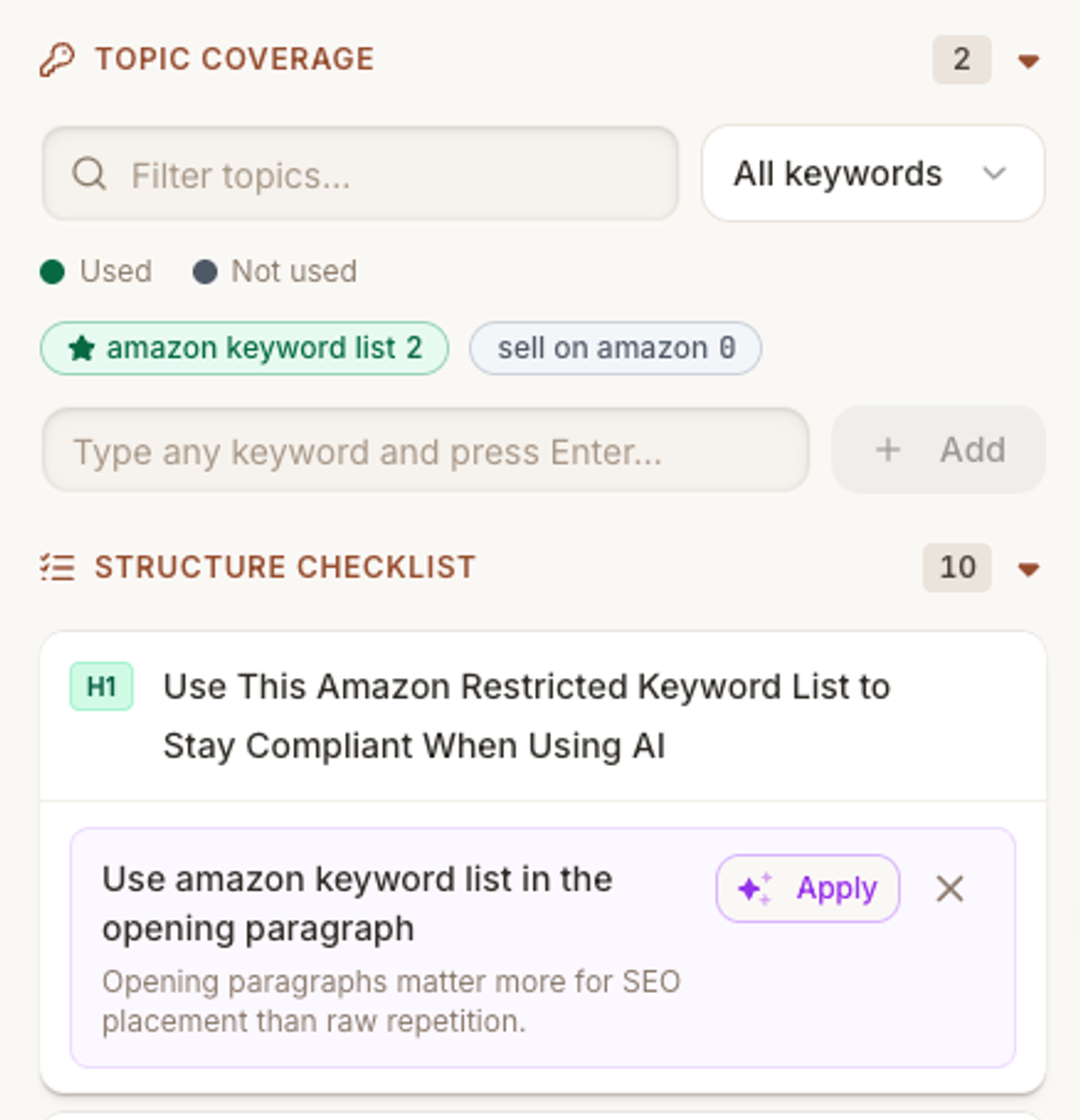
Frase's feature documentation connects topic research to briefs and drafting, with separate SEO and GEO scores. Content Guard detects Google rank/traffic decay, proposes changes, and prepares revisions. Republishing follows approval unless the team opts into automation.
Publishing has two distinct routes: CMS integrations with WordPress, Webflow, Sanity, and Wix, or Frase's own hosted/headless FraseCMS. Native hosting should not be confused with an integration into your existing CMS.
Limitations and pricing
Monthly plans are $49 Starter, $129 Professional, and $299 Scale; annual equivalents are $39, $103, and $239. They include 10/40/100 monthly articles, 1/3/5 seats, and 1/5/10 sites respectively. Audit pages, AI generations, tracked prompts, and watched pages have separate limits. Professional and Scale offer optional pay-as-you-go; Starter holds at its cap. White-label reports and client portals require Enterprise. FraseCMS custom-domain hosting adds a charge.
Choose Frase if your biggest problem is moving smoothly from research and briefs into writing and publishing. Skip Starter if you need a multi-user or multi-site team workflow. Verify AI engine coverage, how refreshes are approved, and what overages would cost.
8. Profound
Best suited to
Teams that want AI Search intelligence connected to configurable content and marketing workflows.
Strengths and workflow role
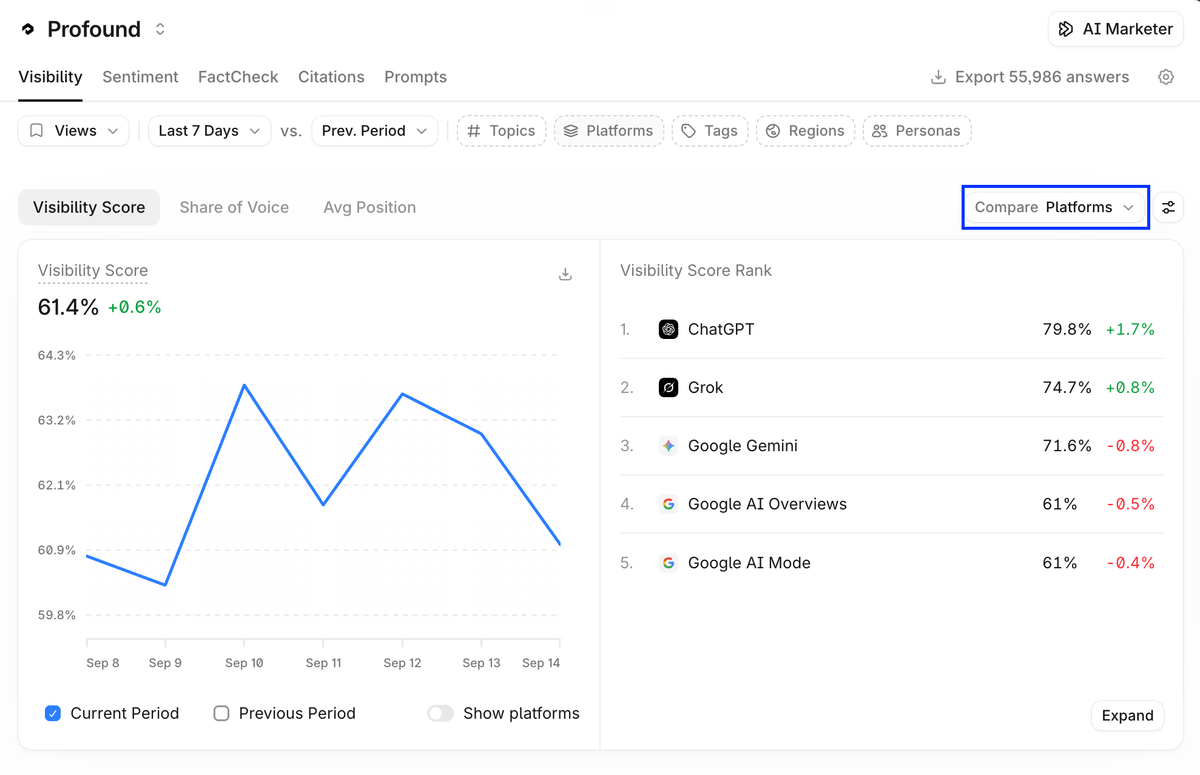
Profound combines Answer Engine Insights with AI Marketer and Agents. Content-gap and refresh templates can identify work and generate revisions. Execution depends on the configured workflow, inputs, and connected tools.
WordPress integration nodes can create or update posts, including draft or published status. CMS publishing is an integration step, and generating a revision does not itself publish it.
Limitations and pricing
The current brand pricing page offers a free Trial and custom Enterprise packages. Trial tracks 50 recommended prompts daily for seven days across ChatGPT, Gemini, and Google AI Overviews; prompts cannot be customized. Trial lacks exports, API, and reporting history. Enterprise scopes ongoing tracking and agent credits. Credits vary with run complexity; confirm agency workspace pricing and included usage separately.
Choose if you want analytics-informed workflows and will configure their editorial and publishing steps. Skip Trial if your evaluation requires custom prompts or data export. Obtain a quote for the recurring workload, client workspaces, engines, and credits for your expected usage. For a separate monitoring comparison, see Superlines vs Profound vs Peec AI.
9. Peec AI
Best suited to
Marketing and agency teams whose missing job is AI visibility, competitor/source analysis, and prioritized feedback.
Strengths and workflow role
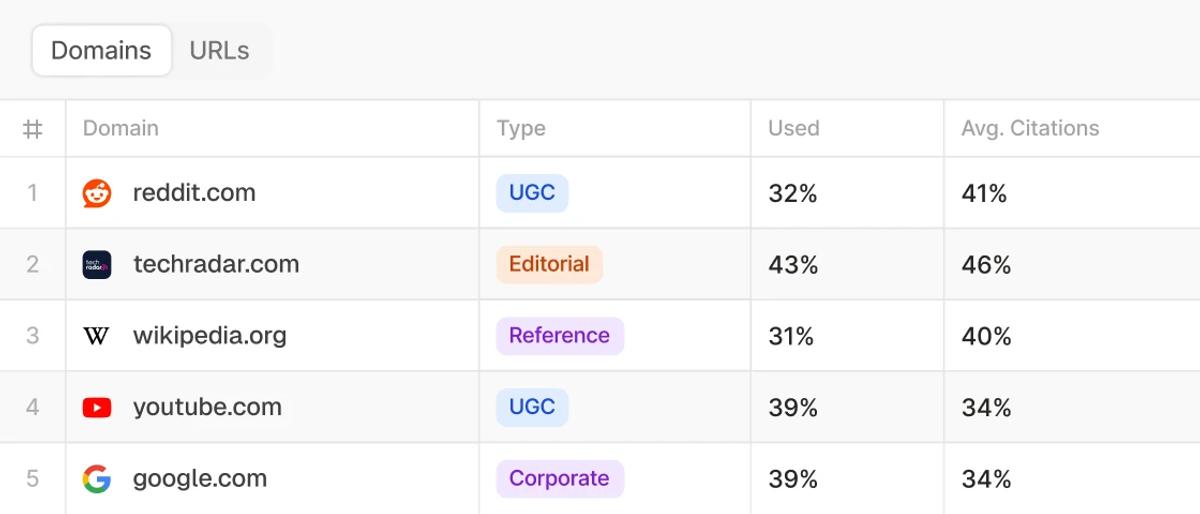
Peec combines monitoring with Actions, which surface earned- and owned-media opportunities. Actions recommends work; it is not an automatic writing or republishing feature. The current pricing grid also lists agent capabilities, so it would be inaccurate to call Peec monitoring-only. Confirm the agent tasks and usage included in your package.
Limitations and pricing
The brand pricing page lists Starter with 50 prompts and one project, Pro with 150 prompts and two projects, and Advanced with 350 prompts and five projects. These include three selected models, unlimited users, and daily tracking; extra models affect cost.
Peec's published pricing reference lists $95/$245/$495 per month for those brand tiers, with separate credit-based agency plans. Confirm current currency and billing terms at checkout. Advanced lists multi-country and Looker Studio; Enterprise lists API access.
Choose if source and competitor feedback will improve an existing content operation. Skip Starter if one project cannot cover the work you need to separate. Confirm required exports, permissions, agent scope, and model costs. The Peec alternatives guide covers additional monitoring options.
10. SE Visible
Best suited to
Teams and agencies that need AI Search visibility, competitor comparison, and source reporting across multiple projects.
Strengths and workflow role
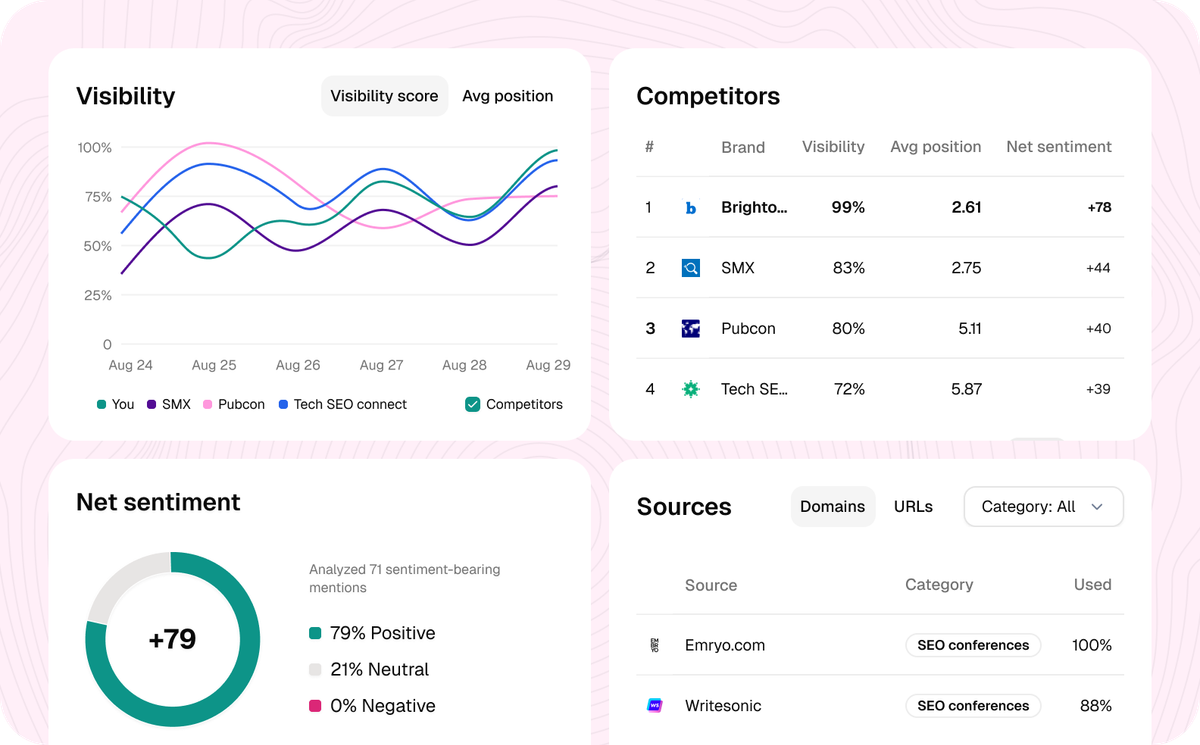
SE Visible's product page documents prompt research, cited domains/URLs, competitor analysis, filtering, multi-brand management, and CSV exports. These support opportunity identification and reporting.
SE Visible is a standalone analytics product. SE Ranking's SEO/content tools are a separate purchase decision. Do not assume an SE Visible subscription includes content drafting, editorial optimization, or CMS publishing because both products share a vendor.
Limitations and pricing
The current plan information lists Basic at $99/month with 200 prompts and three projects; Core is $189 with 450 prompts and five projects; Plus is $355 with 1,000 prompts and ten projects. Annual billing is discounted. Listed engines are ChatGPT, Gemini, Perplexity, AI Mode, and AI Overviews.
Its site mixes sentiment-related product copy with a sentiment feature marked coming soon. Confirm availability and plan entitlement. Also confirm client permissions: unlimited users does not establish restricted client access.
Choose if analytics and reporting are the gap. Skip Basic if you need more than its included projects or prompt capacity without upgrading. Keep editing and publishing in the tools that provide them.
How to choose between a content optimizer and an AEO monitor
Start with the part of the process that needs the most help, then check what your existing subscriptions already include. Content grading, drafting, automation, and AI Search feedback serve different purposes, but several products cover more than one.
- Keep your current tools if they already deliver the work at the quality and cost you need.
- Upgrade or connect an existing tool if a suitable plan or integration provides the feature you need.
- Add another tool when a specific need remains uncovered, such as broader AI engine coverage, stronger briefs, or client reporting.
- Replace a tool if overlapping subscriptions make the work harder to move between people and systems than they make it easier to complete.
For editorial optimization, evaluate Surfer, Clearscope, Frase, and MarketMuse around how writers actually use their guidance. For brand-governed production, evaluate Jasper and the creation features of Writesonic or Frase. For AI Search feedback, evaluate Superlines, Peec, SE Visible, Profound, and the monitoring included in your production platform.
A combined platform can be sufficient if its coverage, permissions, reporting, and capacity fit. A separate analytics product can make sense when those requirements exceed the included monitoring. Neither choice is universally better.
For a deeper analytics comparison, use the AI visibility tools guide and GEO analytics tools comparison. Keep that selection distinct from choosing the editor and publishing workflow.
How do these tools fit into a real content workflow?
Imagine a content team that needs to update an old product-comparison page and create a new implementation guide. The same four steps help with both: monitor, analyze, recommend, and execute.
- Monitor: review how the page performs, relevant AI answers, competitor coverage, and customer questions. A content inventory may flag a page losing performance; an analytics tool may show where visibility is weak. Use the information that helps you decide what needs attention.
- Analyze: work out whether the comparison needs fresher facts, clearer buying guidance, or another improvement. For the new guide, identify the questions readers need answered and the original evidence your team can contribute.
- Recommend: turn those findings into a brief for updating the comparison and another for the new guide. Explain what should change, which sources to use, who will do the work, and what the finished piece needs to cover. The product may help prepare these recommendations, or your team can put them into its usual planning tool.
- Execute: write or revise the content, check the claims, approve it, and publish. Depending on the tool, publishing may use its own CMS, an integration with your CMS, a connector, or a manual transfer. Check whether an update saves a draft or changes the live page. Once it is published, keep monitoring.
Finding a page that needs attention, recommending a change, editing it, and republishing are separate steps. Work out who handles each step and which tool they use. Automation is useful when it removes a real delay or repeated task while keeping editors in control.
The GEO best practices checklist provides a separate planning reference.
Test the tools on real work before you buy
Choose one existing page that needs improvement and one new topic or piece of content you actually plan to create. Try both through your current process and each shortlisted tool, starting with a brief for the new piece. Use the same audience, brand facts, sources, CMS requirements, and expected workload. A short trial can show how well a tool supports the work; short-term visibility changes do not prove that one vendor is better.
- Finding opportunities: does the tool explain why the existing page needs work and why the new topic is worth covering? Judge the relevance to your business alongside the vendor's priority score.
- Preparing briefs: does the brief reflect what readers want to know, identify missing information, and suggest useful sources, rather than simply copy competitors' headings?
- Editing: can writers choose which recommendations to apply, keep useful content, and see exactly what changed?
- Checking recommendations: can you see the pages, queries, or data behind the advice? Verify factual claims yourself, including any generated citations.
- Working together: can writers, editors, and clients review the work with appropriate access, while keeping each client's work separate where needed?
- Publishing: try creating a draft and updating an existing page. Check formatting, metadata, approvals, and how the content reaches your CMS. Is publishing built in, handled through an integration or connector, or done manually?
- Measurement and reporting: can you track the pages and queries that matter and export the fields stakeholders need? Use the AI Search metrics guide for metric definitions.
- Cost: what would you pay for the articles, refreshes, prompts, models, users, sites, clients, and automated tasks you expect to need? Include add-ons and other subscriptions.
Compare the quality of the recommendations, how easily people can work together and publish, what still needs another tool, and the total cost. Note the time spent moving work between systems. If your current process handles both tasks well, you may already have enough.
How much does AI content optimization cost in 2026?
The headline price only tells part of the story because these tools charge in different ways. Surfer includes a set number of documents and tracked AI prompts. MarketMuse limits queries, tracked topics, and briefs; Clearscope includes queries, pages, topic explorations, and drafts. Jasper charges by seat and package. Frase and Writesonic include both content creation and monitoring, with limits on each. Profound also uses agent credits, while Peec counts prompts for brand plans and credits for agency plans. Superlines and SE Visible combine tracking with limits on brands or projects and access to features.
Ask what the tool would cost for the amount of content, tracking, users, clients, and markets your team actually needs. Does updating a page count toward a document or article limit? Do repeated agent tasks use more credits? Will more engines or markets increase the tracking bill, or will keeping client work separate require a higher plan? Include CMS hosting, connectors, research data, setup, and editorial review where needed.
Visibility, citation growth, and referral visits can inform evaluation; they do not by themselves establish ROI. Use the AI Search ROI guide and business-case guide to assess attributable outcomes, costs, and uncertainty.
Choose based on what your current workflow is missing
Start with the part of the process that is not working well today. If there is a clear gap, compare the tools that address it using the existing-page and new-brief exercise. Check the plans, limits, integrations, how you will edit and publish, and the total cost.
If your existing tools already handle the work, another product may not be necessary. When you do add a tool, choose one that removes a real bottleneck at a cost and with limits your team can work with.